Set-offs
Set-off allows you to link an invoice and a credit note, or a purchase invoice and a sales invoice. The linked obligations do not have to be for the same amount, and several obligations can be set off at once.
A simple example
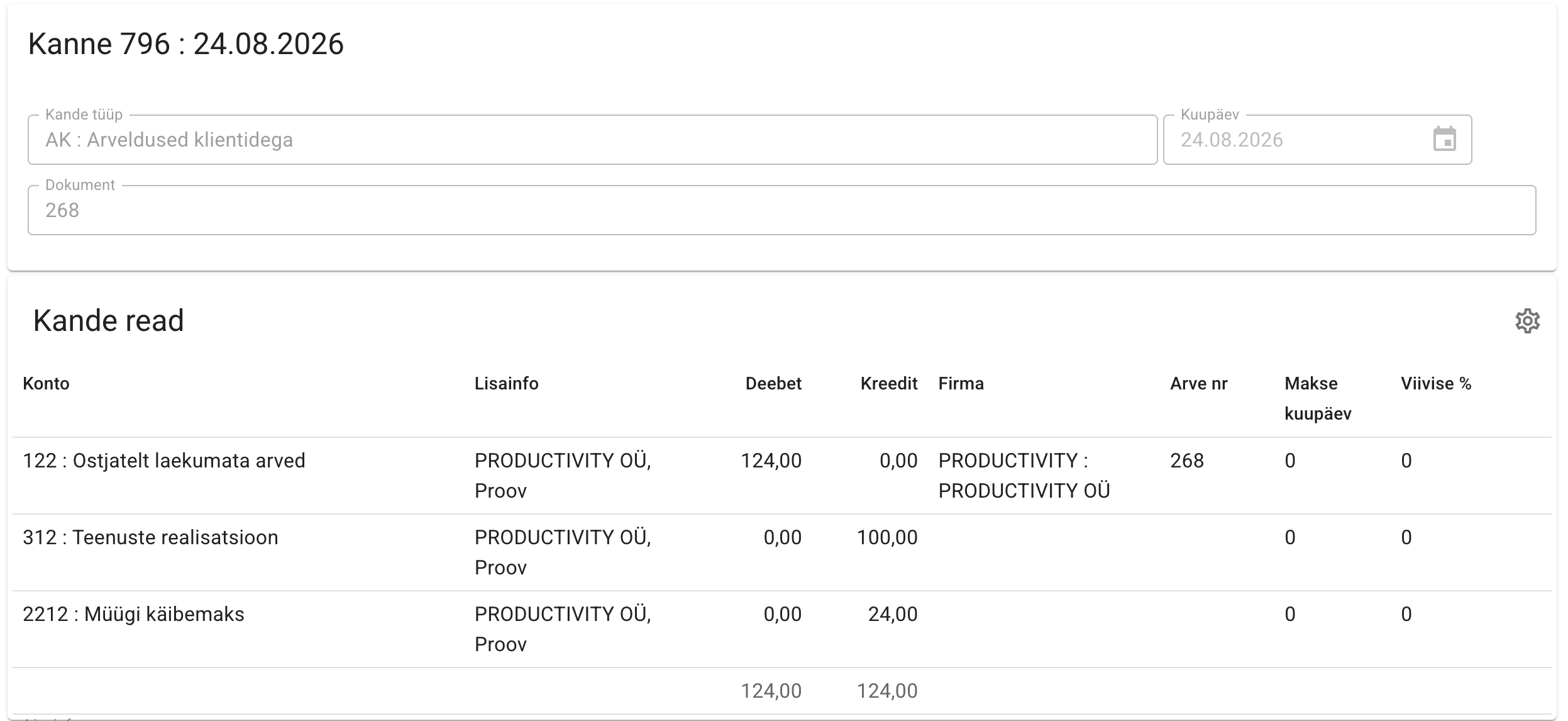
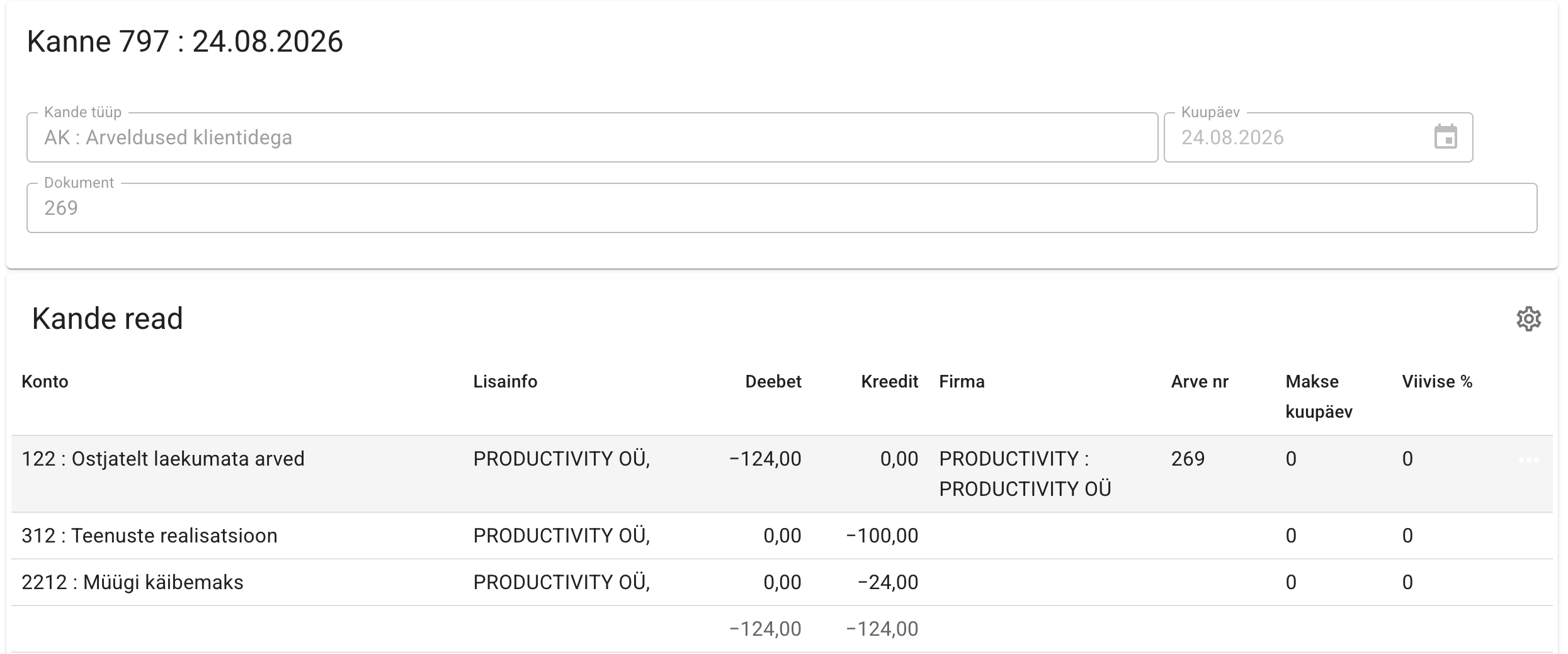
For example, we have an invoice and a credit note, both for the same amount (one positive, one negative).
Invoice
Credit note
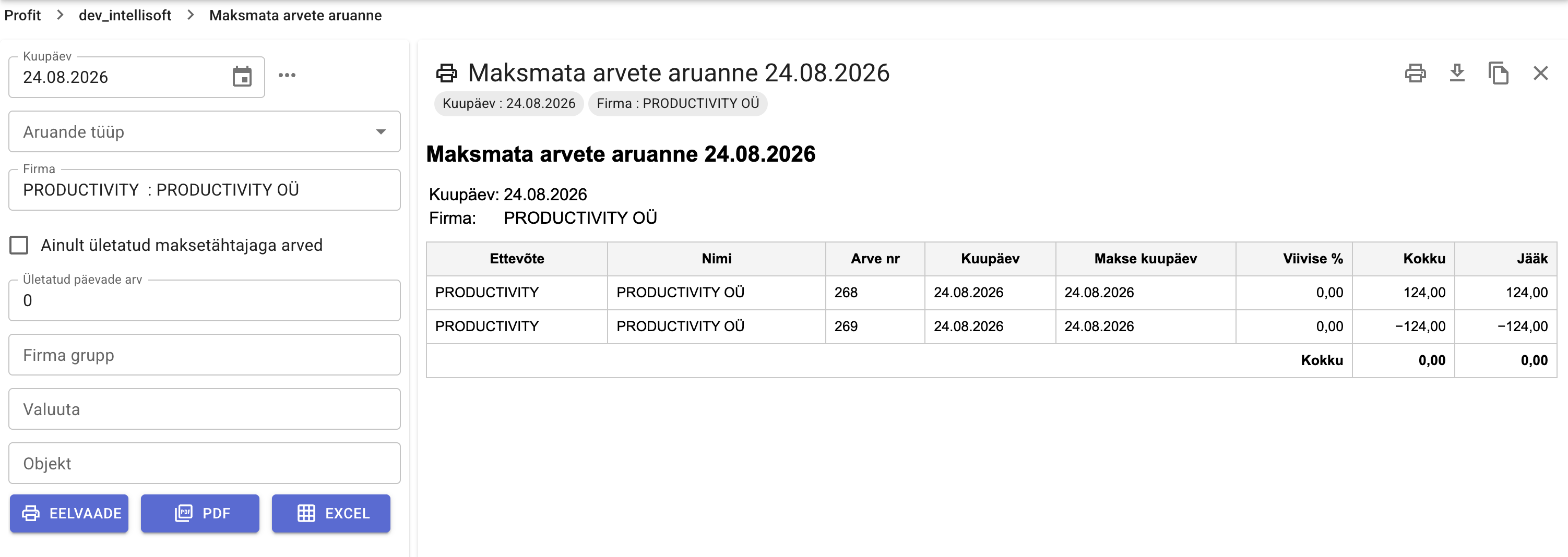
After confirming, the unpaid invoices report shows both rows:
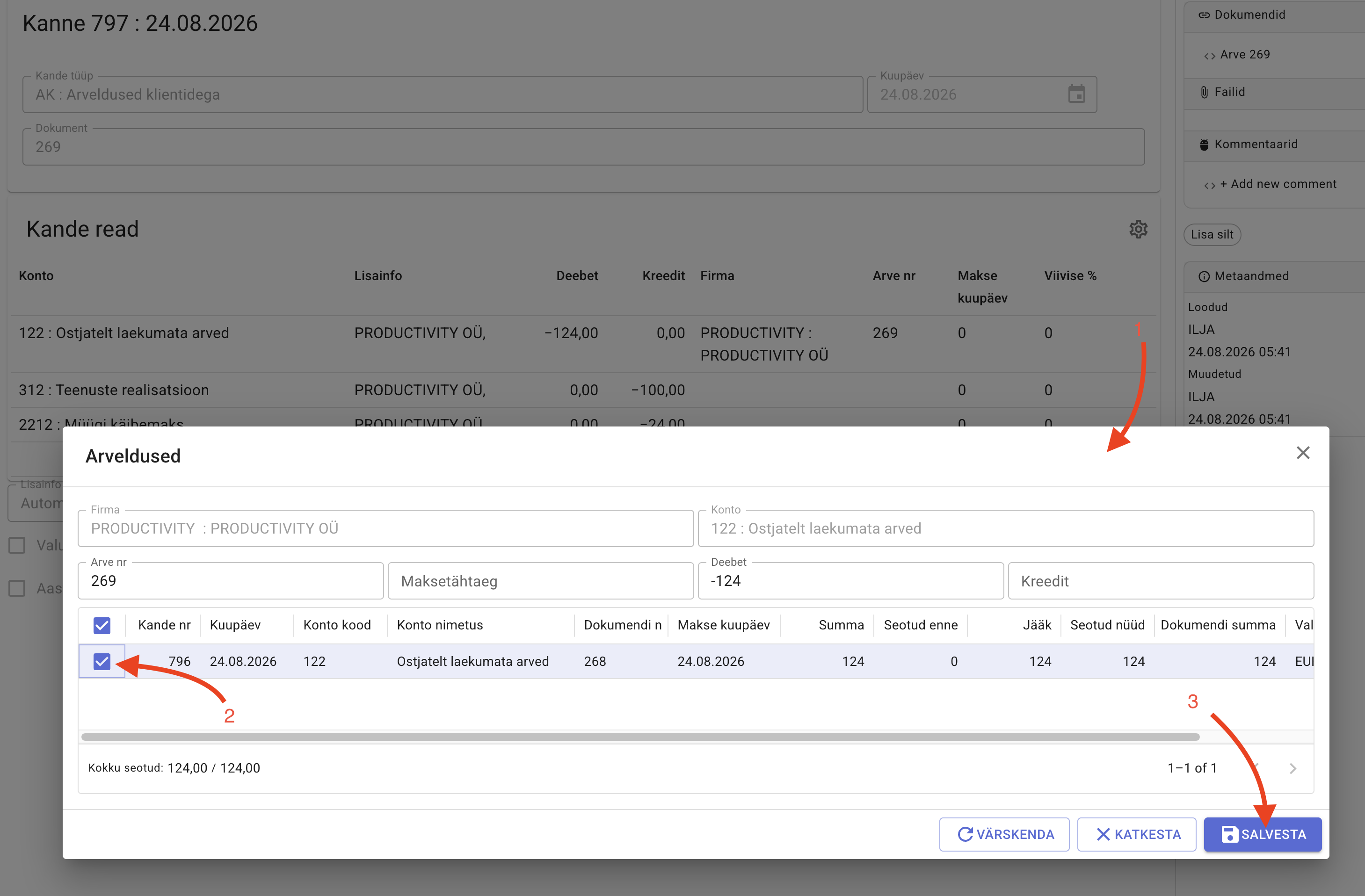
- Open the settlements window.
- Add the settlements:
- from the entry: click the menu button on the row and select Settlements
- from the invoice card: relations on the right side
- Link the documents and save.
After saving the set-off, both rows — the invoice and the credit note — disappear from the unpaid invoices report.