Primary company settings
After creating a company database, review its key settings.
You can open the settings from the company home page by clicking the gear icon to the right of the company name.
There’s also a Settings entry in the main menu, and each company row in the “My companies” list has its own gear icon.
Settings are grouped into the following sections:
Company settings
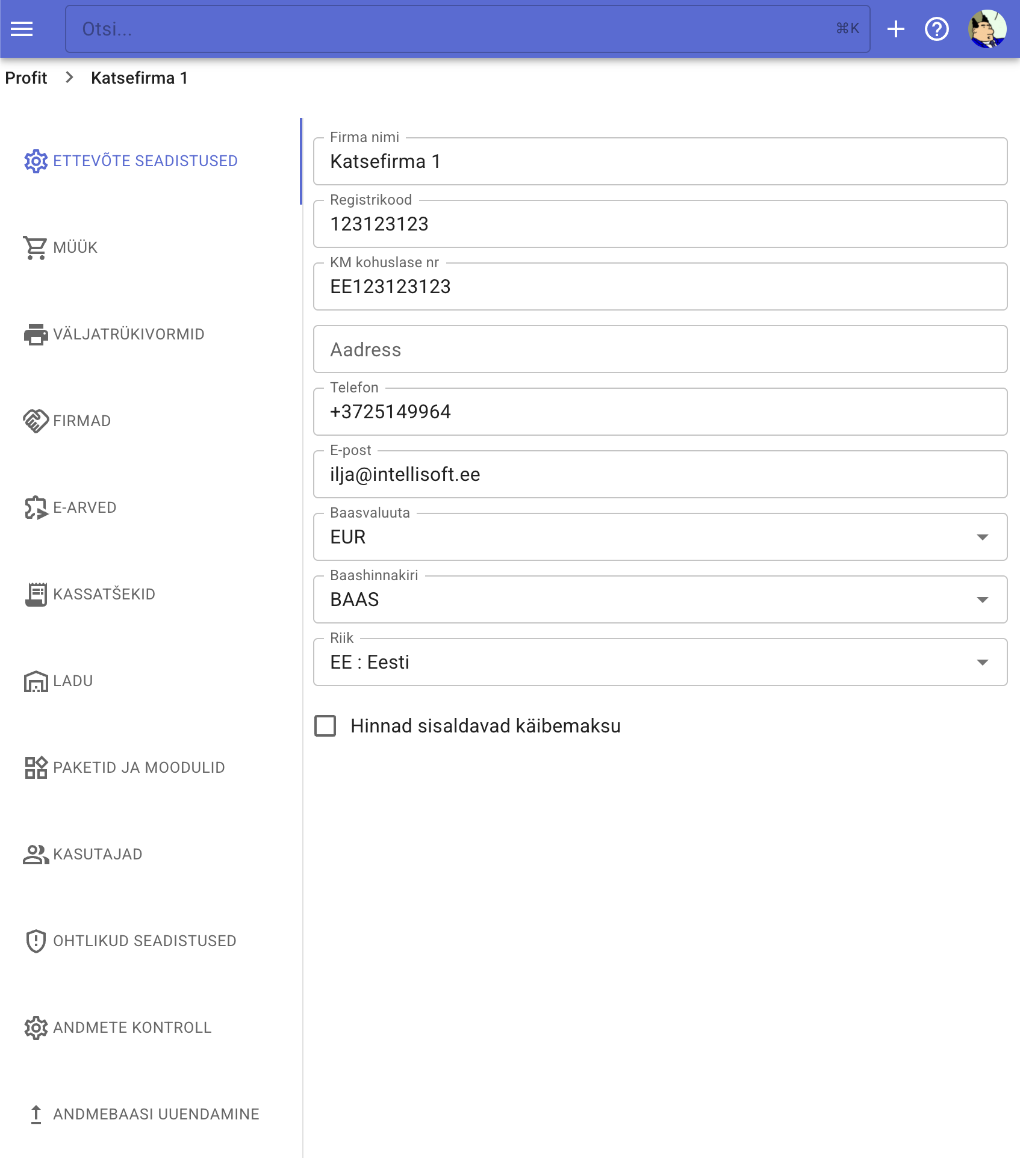
Here you can fill in core company data:
- name
- registration code
- VAT number
- address
- phone
- base currency
- default price list
- country
- whether prices include VAT by default
Fields save automatically when you leave the input.
Sales
Sales-related options, e.g.:
- Rounding rules for sales invoices.
Print forms
Configure invoice / order / quote templates:
- logo selection and placement
- customer details placement
- line item layout
- default footers and extra texts
- etc.
Companies
Default values for the customer/supplier registry:
- payment term
- customer & vendor accounts
E‑invoice
Settings for sending and receiving e-invoices.
Receipts
Configure the receipt import and recognition feature:
- enable the function
- control how line items are interpreted
- Use queue – when enabled, uploaded receipts are queued and recognized asynchronously by the AI assistant, so you don’t need to wait for processing
- Tag for imported purchase invoices – helps distinguish imported invoices
- Default product – used when lines are merged into one; can also be set per supplier
Inventory
Toggle automatic delivery note creation (incoming/outgoing).
Packages & modules
Select which subscription package/modules the company uses.
Users
Company administrators can add or remove users.
To invite a user you need their username (see choosing a username) or email. If the person doesn’t yet have a Profit account, they’ll receive an invitation email to sign up.
Dangerous settings
Database deletion and ownership transfer.
If you delete a database, it can be restored for a few days by contacting our support; after that it’s permanently removed (restoration is a paid service).
Transferring ownership revokes the previous owner’s ability to manage users or delete the database. This action is irreversible—you must coordinate with the new owner to regain access.
Data validation
Configure which automatic consistency checks run.
Database maintenance
When needed, the database admin can trigger structural verification/repair. Normally this isn’t required—Profit runs the maintenance task automatically once per day.